
Rooms at a glance
Review each room’s type, floor and current status.
Bring occupancy, room condition and availability into one room-by-room view. Help reception choose a room that is ready.
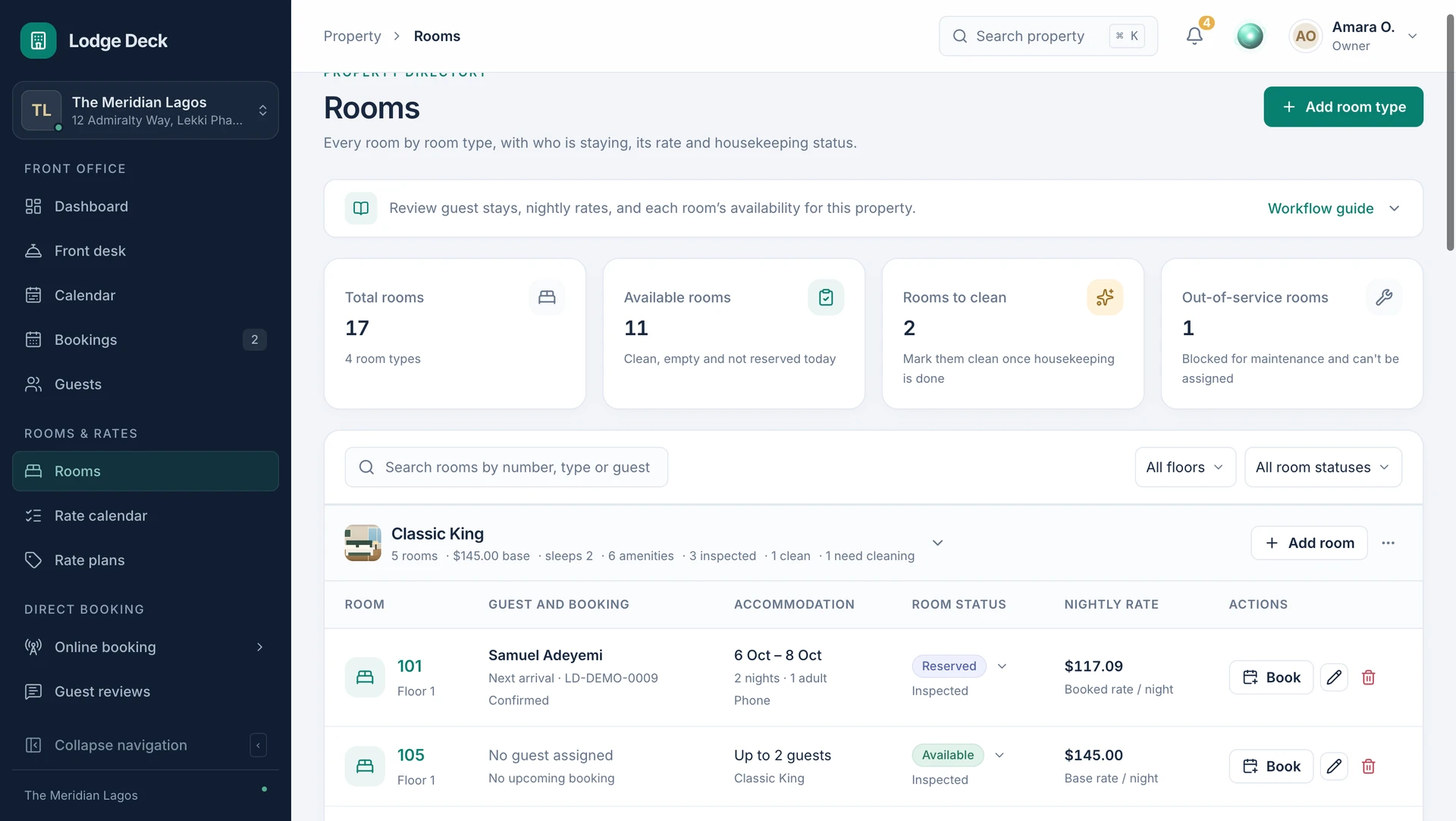
Bring occupancy, room condition and availability into one room-by-room view. Help reception choose a room that is ready.
Review each room’s type, floor and current status.
Keep dirty, clean and inspected states visible to authorized staff.
Take a room out of order for a date range and record the reason.
Review the bookings and closures that affect the room before assigning it.
Use the room grid and filters to find the room you need.
Review readiness, occupancy and any maintenance block.
Save the room’s condition so the next team member has the same reference.

Keep cleaning and inspection distinct so reception can make a better assignment decision.
See this workflow in a demoWhat to know about room grid.
Give reception and housekeeping one clear reference for dirty, clean and inspected rooms, with maintenance blocks kept in view.
ProductFind a room, record the stay and keep changes in one reservation calendar. Give reception a clear starting point for every arrival.
ProductCoordinate arrivals, departures, in-house guests and room assignments in a focused front-desk workspace.
Bring your daily challenges. See how your team can manage them in one workspace.