
Performance context
Read occupancy and room revenue together with ADR, RevPAR and the reporting period.
Review occupancy, revenue, room readiness and outstanding operational work from a management perspective.

See occupancy, room revenue and payment records together. Move from a management question to the room, stay or balance behind it.
Read occupancy and room revenue together with ADR, RevPAR and the reporting period.
Use the room and front-desk views to investigate arrivals or readiness issues behind the numbers.
Review balances and payments with finance rather than treating revenue and cash as identical.
Switch to the relevant property to review its occupancy, revenue and operational records.
Start with the reporting period and the day’s operational priorities.
Follow a rate, reservation or room-readiness issue into its working record.
Agree who needs to act and use the next review to follow the operational change.
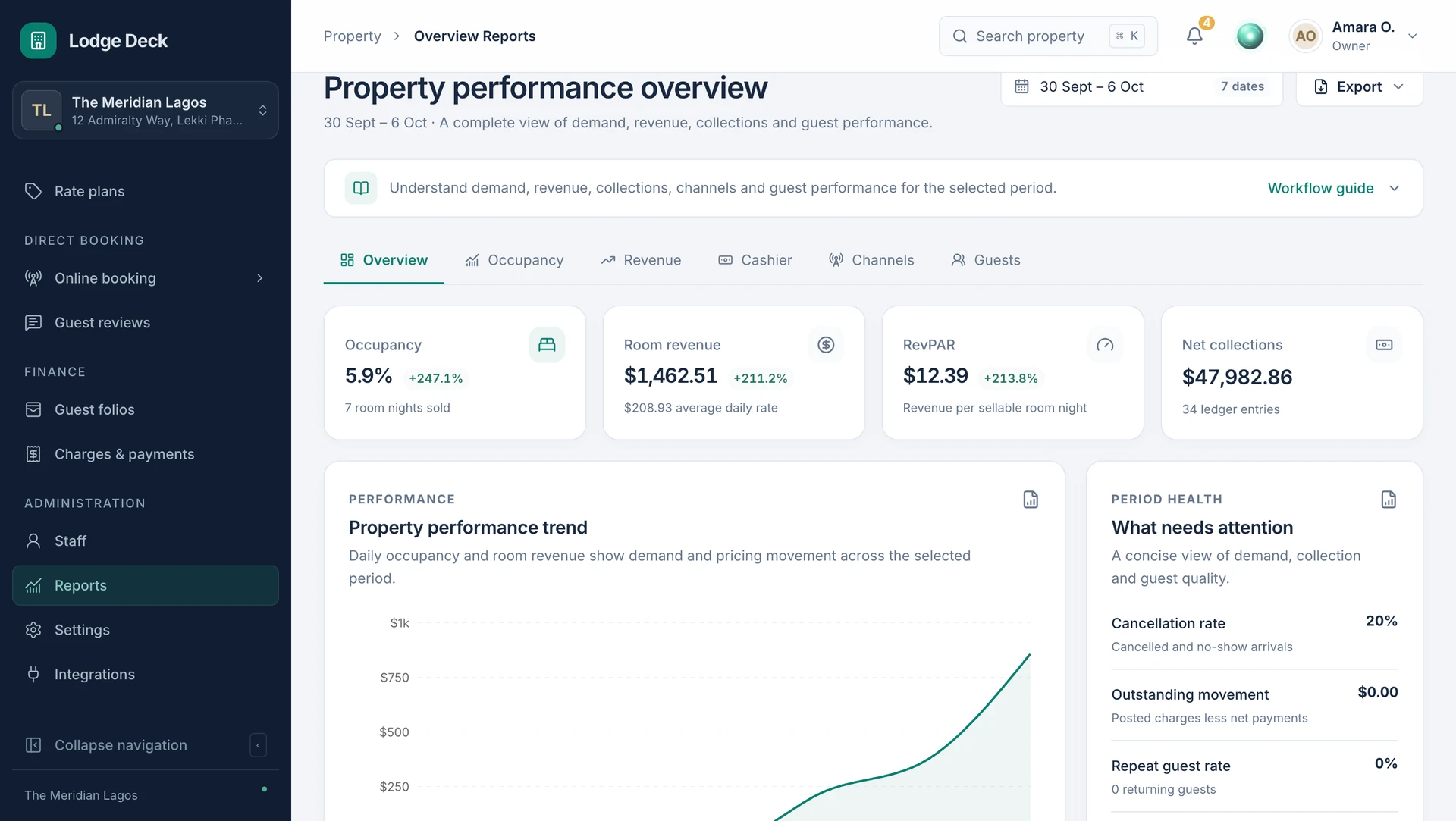
Read the core accommodation measures for one reporting period. Follow exceptions with the people responsible for the original records.
See this workflow in a demoWhat to know about owners & gms.
Review occupancy, revenue, ADR, RevPAR and booking-source mix in the performance workspace.
ProductAccess the properties you work with from one account. Each workspace keeps its own rooms, team permissions, currency and operational records.
SolutionsReview folios, recorded payments, adjustments and reporting with the operational stay still in view.
Bring your daily challenges. See how your team can manage them in one workspace.